0
Some multiplayer shooters ask you to install huge files, create an account, and sit through endless tutorials before you can fire your first shot. Deadshot IO skips all of that. Within moments of loading the game, you're already running across the map, searching for your first target.
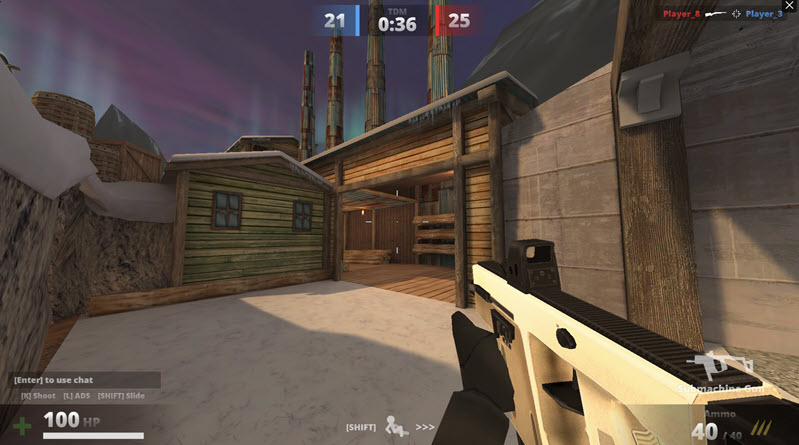
The thing that makes the game so appealing is its instant accessibility. Whether you have ten minutes to spare or an entire evening to play, it's easy to jump into a match without any preparation.
The core gameplay is familiar to anyone who has played an FPS before, but the experience changes depending on the players in your lobby. One match might become a long-range sniper duel, while the next turns into fast, close-quarters battles where every corner hides another opponent.
Since real people are controlling every character, no two rounds play out exactly alike. Learning how other players move, when they attack, and where they like to hide becomes just as important as having good aim.
Deadshot IO does not require everyone to play the same way. Instead, it offers multiple weapon types that enable different strategies.
Submachine guns are popular among players who like to keep moving because they excel at close-quarters combat. Assault rifles are still the most versatile and reliable choice in almost any situation. Sniper rifles prefer patience and smart positioning; shotguns are for those who don’t mind getting within touching distance before firing.
It’s a good idea to try out all the weapons, since the best option is more about your habits than pure stats.
Taking out opponents is always satisfying, but some modes require you to think beyond your kill count.
Free for All is exactly what you'd expect - everyone fights for themselves. In Team Deathmatch, it's all about your team working together, while in Hardpoint and Domination you have to capture and hold certain spots on the map. Kill Confirmed changes things up by having you collect tags after each kill, so map awareness is just as important as being a good shot.
Also, switching between modes is an easy way to keep the game from feeling repetitive.
There's no steep learning curve here; the controls are intuitive and should feel familiar to anyone who's played an FPS on PC.
| Key | Action |
|---|---|
| WASD | Move |
| Space | Jump |
| Shift | Crouch or slide |
| Left Mouse Button | Fire |
| Right Mouse Button | Aim down sights |
| Enter | Chat |
| Esc | Pause |
If your aim feels inconsistent, take a few minutes to adjust your mouse sensitivity. Small changes can have a noticeable effect during firefights.
Many beginners focus entirely on shooting, but experienced players know that positioning wins plenty of battles. When you step into an open area without looking around you, it usually ends badly, and using cover buys you more reaction time.
Movement is important too. Slip around corners, change direction, and avoid predictable routes, and it’s a lot harder for opponents to get clean shots off. As you become familiar with each map, you'll naturally learn where fights happen most often and which paths are safest.
If you enjoy quick online shooters without long waiting times, Deadshot IO is easy to recommend. It keeps the rules simple, gets games going almost instantly, and rewards players who improve through practice rather than complicated upgrade systems. You won’t need hours to understand how it all works, but you’ll have plenty of reasons to keep playing as you get better at it.